Water Alert Plus1.1
Publisher Description

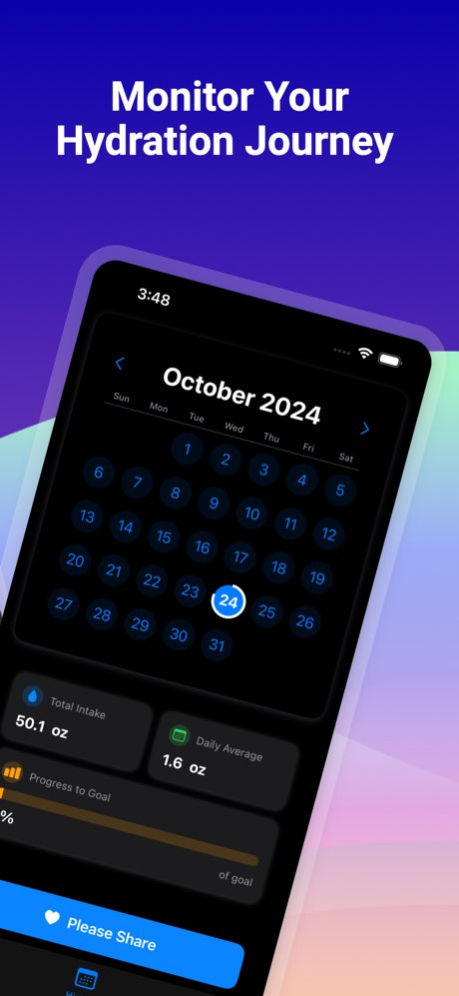


Stay perfectly hydrated with Water Alert, your intelligent hydration companion. This thoughtfully designed app makes tracking your daily fluid intake simple and effective, while helping you build healthy drinking habits.
Key Features:
- Smart Tracking: Log water and various beverages with just a tap
- Personalized Goals: Set custom hydration targets based on your needs
- Caffeine Monitoring: Track caffeine intake alongside hydration
- Health App Integration: Syncs seamlessly with Apple Health
- Intelligent Reminders: Custom notifications to keep you on track
- Visual Progress: Beautiful, intuitive interface showing daily progress
- Drink History: Detailed history of your hydration journey
- Metric/Imperial Units: Support for both ml and oz measurements
Perfect For:
- Fitness enthusiasts tracking fluid intake
- Health-conscious individuals
- Anyone looking to build better hydration habits
- Busy professionals who need reminders
- People monitoring their caffeine consumption
Smart Features:
- Comprehensive drink templates for quick logging
- Easy-to-use drink logging interface
- Detailed daily and historical tracking
- Simple reminder system
Privacy & Security:
- Respects your privacy
- Securely integrates with Apple HealthKit
- No third-party tracking
- All data stays on your device
Download Water Alert today and take the first step towards better hydration habits!
-----------
Terms of Service: https://nigelware.weebly.com/terms-of-service1.html
Privacy Policy: https://nigelware.weebly.com/privacy-policy.html
https://www.apple.com/legal/internet-services/itunes/dev/stdeula/
Version History Minor bug fixes and performance improvements. 1.1 10/30/2024 1.0 10/25/2024
About Water Alert Plus
The company that develops Water Alert Plus is Glen Bentley. The latest version released by its developer is 1.1.
To install Water Alert Plus on your iOS device, just click the green Continue To App button above to start the installation process. The app is listed on our website since 2026-10-08 and was downloaded 0 times. We have already checked if the download link is safe, however for your own protection we recommend that you scan the downloaded app with your antivirus. Your antivirus may detect the Water Alert Plus as malware if the download link is broken.
How to install Water Alert Plus on your iOS device:
- Click on the Continue To App button on our website. This will redirect you to the App Store.
- Once the Water Alert Plus is shown in the iTunes listing of your iOS device, you can start its download and installation. Tap on the GET button to the right of the app to start downloading it.
- If you are not logged-in the iOS appstore app, you'll be prompted for your your Apple ID and/or password.
- After Water Alert Plus is downloaded, you'll see an INSTALL button to the right. Tap on it to start the actual installation of the iOS app.
- Once installation is finished you can tap on the OPEN button to start it. Its icon will also be added to your device home screen.
Program Details
System requirements
Download information
Pricing
Version History
version 1.1
posted on 2026-10-08
Version History Minor bug fixes and performance improvements. 1.1 10/30/2024 1.0 10/25/2024
